
What I like about having my mail automatically separated into 5 mailboxes:

My Primary Inbox
I go there first to see all my personal email. It’s addressed to me. Google Help explains it well:

Moving Message from One Tab to Another
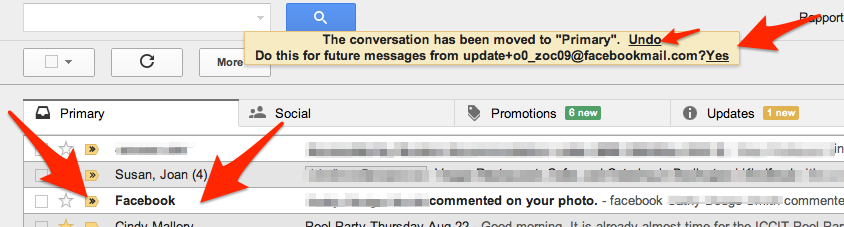
I’ve found I can pull emails from other tabs into my Primary Inbox and set them to always land there. This is good for my favorites:
For example, Facebook notifications automatically arrive in my Social tab. I can simply drag the message into my Primary Inbox, then choose “Yes” to have all my future Facebook notifications land in my Primary Inbox. Cool, eh?
More soon on why the other Tabs are handy.
 Learning Living