Tagging – a Research Tool

Even the most web-phobic sorts have to acknowledge that the internet is a profoundly powerful research tool. (Yes, there can be serious problems; I’ll post about authority another time.) However the advent of tagging has made researching and knowledge management much easier and more social.

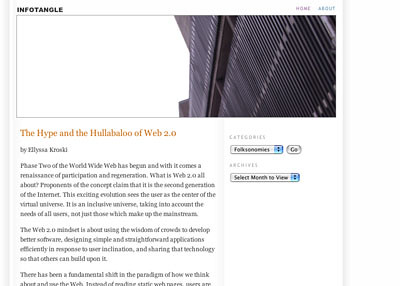
To get a fuller understanding, if the concept of tagging is new to you, I recommend Ellyssa Kroski’s post, The Hive Mind: Folksonomies and User-Based Tagging at InfoTangle.
InfoTangle

To give you the gist, here are some excerpts:

Today, users are adding metadata and using tags to organize their own digital collections, categorize the content of others and build bottom-up classification systems. The wisdom of crowds, the hive mind, and the collective intelligence are doing what heretofore only expert catalogers, information architects and website authors have done. They are categorizing and organizing the Internet and determining the user experience, and it’s working. No longer do the experts have the monopoly on this domain; in this new age users have been empowered to determine their own cataloging needs.

Web 2.0 is about sharing and connectivity and participation. It is a user-centered era of the Web. We are moving away from expert-dictated, exclusionary models of information organization and toward inclusive, participatory ones.

As users continue to add tags, a grassroots organizational scheme begins to emerge which has been dubbed by information architect Thomas Vander Wal, to be a folksonomy. A combination of “folks” and “taxonomy”, the term has come to mean a non-hierarchical ontology that is created as a natural result of user-added metadata or tagging.

The Wisdom of Crowds
There has been much discussion in the information world about the concept of folksonomy as opposed to the traditional taxonomy with its controlled vocabularies and hierarchical nature. Likewise, there have been many advantages identified with respect to folksonomies and organizing web content.

Finally, she says –

Summary
The advantages to top-down hierarchical taxonomies for library collections are without question. For cataloging the Web, however, they just aren’t feasible. The new, “voice of the people” approach of folksonomies emerges at a time when attitudes about information organization and retrieval are shifting and the technology is developing to support them. The opportunities for learning about user behavior as well as the implications for improving and/or complementing existing taxonomies that these systems can provide are of no small import. We are on the cusp of an exciting new stage of Web growth in which the users provide both meaning and a means of finding through tagging.

Kroski’s post is elegantly clear and informative, with academic referencing. To gain a clear understanding of the essentials of tagging, read the whole post!

tags


The Web, a Blog, and Communication

In my previous post, I talked about my Suprglu account and made reference to the fact that I hadn’t linked my Furl Archive – didn’t know how to;->

Lo and behold, I got a comment from Michael (of Furl) telling me how to add my Furl RSS. Thanks Michael! I took a longer look at Furl and found this – http://www.furl.net/faq.jsp#howShare

Now my Suprglu has a connection to my Furl Archive too!
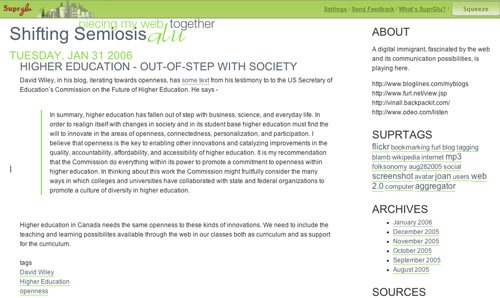
suprgluSources

And I’m using Flickr to upload the screenshot, above, rather than the Blogger image icon, in the hopes that the Flickr image will show up in my Suprglu account – my Bogger uploaded image didn’t.

tags


My Suprglu

Suprglu http://www.suprglu.com/ is an interesting new web application that I have started using to have a home base for my various web adventures. Suprglu allows me to aggregate my web accounts into one place – my Suprglu account

I have included both my blogs, my more acedemic blog on Elgg and my Blogger blog, WebToolsForLearners, my Flickr account, my del.icio.us bookmarks, and my H2O Playlist on Poetry Basics. I haven’t figured out if I can (ans/or how to)add my Furl account, but most of my other separate individual web spaces are now “glued” together.

And that handy;->

tags

Higher Education – Out-of-Step with Society

David Wiley, in his blog, iterating towards openness, has some text from his testimony to to the US Secretary of Education’s Commission on the Future of Higher Education. He says –

In summary, higher education has fallen out of step with business, science, and everyday life. In order to realign itself with changes in society and in its student base higher education must find the will to innovate in the areas of openness, connectedness, personalization, and participation. I believe that openness is the key to enabling other innovations and catalyzing improvements in the quality, accountability, affordability, and accessibility of higher education. It is my recommendation that the Commission do everything within its power to promote a commitment to openness within higher education. In thinking about this work the Commission might fruitfully consider the many ways in which colleges and universities have collaborated with state and federal organizations to promote a culture of diversity in higher education.

Higher education in Canada needs the same openness to these kinds of innovations. We need to include the teaching and learning possibilites available through the web in our classes both as curriculum and as support for the curriculum.

tags


A Blog to Follow


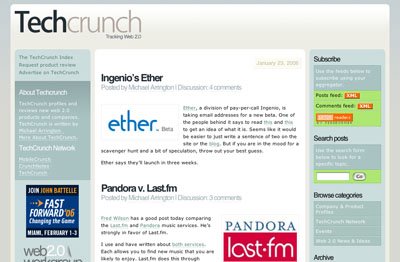
One of the most rewarding blogs in my Bloglines is TechCrunch. From TechCrunch, I have learned about all kinds of new applications, many of which are free. I recently read about a learning management system there – nuvvo – which is web-based. It’s aimed at elearning, but I could see it being useful in a blended learning classroom environment as well.

Using Blogs as part of Teaching

Yes the web is overwhelming, and information (knowledge?) management is a huge issue. There are solutions, but it takes a while to find them and then get into the habit of using them. That’s the nature of the beast (feast)!

In my opinion, you do have to find a chunk of time almost every day but after the initial surveys of the terrain, you can decide on your focus and stay up-to-date in that area (depending on its breadth and complexity) with an aggregator (like Bloglines – which is free and easy to set up). I found this description of how a teacher could use Bloglines with a class really helpful – http://www.weblogg-ed.com/2004/03/03. After reading it I set up my own Bloglines account and now use it to track the educational blogs I’m interested in, scan their headings, and, if I’m interested in the topic, link to it and get the gist.

Blogs are being used more and more as part of teaching and learning. For a basic understanding of how to use blogs, check out Jakob Nielsen’s info – http://www.useit.com/alertbox/weblogs.html – He’s the senior acknowledged expert on web design.

http://www.weblogg-ed.com/why_weblogs provides an overview on using blogs in the classroom with lots of links to explore (Or not ;-> depending on your time and interest.)

Finally, here’s a link to a short video describing the uses of blogging in high school – http://www.weblogg-ed.com/weblogs_in_ed_video

A friend says –

My feeling is that we have to treat “computer reading” like people used to treat reading the newspaper in the past. It was an activity that occupied a certain part of everyday.

and I agree.

tags


Shifting Semiosis

Two or three years ago I began talking about a “shifting semiosis” and I felt like Cassandra – although I wasn’t prophesying a disastrous war, but rather a massive, fascinating and largely positive change. It was clear to me that we were at the start of a change in the way we humans signify meaning that would dwarf the printing press, audio & visual recording, and mass media combined. And now, in my daily newspaper, I find that my intuitive recognition is being substantiated.

I read an article, linked to this post’s title, in the Toronto Star, www.thestar.com – called Old Idea, New Media. The subheading asks this provocative question –

Are you reading this text on paper, or as pixels? Does it matter? Some think not.

As newspapers realize that they sell content, not ink, their future is taking hold.

I put down my paper and went immediately to my computer and read the same story in pixels, because I wanted to share this increasingly undeniable change. I wanted to blog about it.

The article is about how newspapers are still remarkably profitable (many at 20% a year!)about how newspapers are a natural fit as a web portal, about how the papers’ managers are finally beginning to realize that, and about how transportable digital downloads are coming. I picture these as much like ipods in function but looking more like paper or a book.

So, yes, our semiosis is shifting! Not that I expect any more attention to my message than Cassandra got to hers. (In some ways I wish I was more like Paul Revere;->)

The papragraph that electrified me, which follows, clearly indicates that the web is a platform, not a medium.

A newspaper of the future might employ web editors for each section of the paper whose task would be to rapidly accumulate multimedia content relevant to each story. Articles posted on reformulated newspaper sites will be accompanied by related photos, audio and video clips, speech transcripts, discussion forums and archival images from the CBC, CPAC, C-SPAN, the National Film Board and other partners.

Such wonders we are seeing as human communication continues its development

  • from speech and drawings
  • to (chirographic) writing
  • to printed text and engravings
  • to photography, audio recording, film, & television

and now to versions of all of these available asynchronously on the World Wide Web!

Students’ Computer Patterns

Here is a current, brief, informative interview with Robert Kvavik on how students are using computers, and their attitudes towards how computers are being used in education. Mitchell Weisburgh quotes Kvavik as saying –

It’s not that tech doesn’t affect learning, it’s that we are only at the beginning of seeing how tech can be used in support of that goal.

I think he makes a truly important observation here –

One of the interesting things with Google is when you ask a question, you always get an answer. But you don’t know if it’s a good answer. So how do you show students how to sort that and digest it so they can tell the difference?

One of the things is that these students have more and quicker access to information than our generation did, but there would be a great benefit to learning how to winnow it out and apply it in a sophisticated way to a problem.

All teachers in all classes should be modelling and teaching how to evaluate the information found on the web, in my opinion, as a part of learning the content of courses.
On course management systems, Kvavik has this to say about student attitudes:

To the extent the faculty uses the CMS so that students can take sample tests, access readings, contact the professor, and submit assignments; the CMS has made it easier for the students. The biggest complaint is that the use is not consistent, it’s only used in about 20% of the classes in a lot of the institutions. Why in one university, would the Poli Sci dept decide not to use the CMS at all while the history dept is 90% using it? Students do not like the inconsistency.

Altogether an interesting read – I recommend it.

Academic Research – The Process is Changing

Academic research is changing, just as academic writing has changed with the arrival of the computer. Academic writing is radically different since I was an undergrad many years ago. When I wrote my Ph.D. thesis a year and a half ago, I made rich use of the capabilities of word-processing as an integral part of my writing process. I used Styles for my headings and for generating a table of content. I used the caption feature to describe the images I inserted, and to generate a table of figures. Of course I used the spell checker and the word count and all the flexibility of copy-and-paste. Plus I made sure the font was attractive and readable, and for my particular thesis, I used the font to help deliver the meaning. Writing with a word processor is more fun, more visual, and easier than the ugly old manual typewriters of my youth.

I also used EndNote to make my citing much easier and to generate my “Works Cited”, and I paid highly for the privilege; it was expensive. During the process of writing my thesis, I was forced to switch from an IBM laptop to a Mac iBook; (don’t ask.) I had to pay again for EndNote to get a Mac version. But anything was better than the picky work of sorting out the anal details of citing the the “Works Cited”.

(These days I point my students to easybib http://www.easybib.com where they can generate MLA bibliographies for free and APA for, I think, about $6.00 U.S. a year. Not quite as good as EndNote but much cheaper.)

And now researching and citing is going to get much easier, in the same way creating a document got much easier with the advent of the computer and wordprocessing.

I wrote a couple of months ago about changes coming for the University of Toronto library and for all the Ontario universities – http://elgg.net/vinall/weblog/2769.html – and today Stephen Downes http://www.downes.ca/ posted a link to this site – http://echo.gmu.edu/toolcenter-wiki/index.php?title=Firefox_Scholar_(aka_SmartFox) – on the upcoming SmartFox.

SmartFox will enable users, with a single click, to grab a citation to a book, journal article, archival document, or museum object and store it in their browser. Researchers will then be able to take notes on the reference, link that reference to others, and organize both the metadata and annotations in ways that will greatly enhance the usefulness of, and the great investment of time and money in, the electronic collections of museums and libraries. All of the information SmartFox gathers and the researcher creates will be stored on the client’s computer, not the institution’s server (unlike commercial products like Amazon’s toolbar), and will be fully searchable. The Web browser, the premier platform for research now and in the future, will achieve the kind of functionality that the users of libraries and museums would expect in an age of exponentially increasing digitization of their holdings.

SmartFox is being developed by the Center for History and New Media (CHNM) at George Mason University with funding from the Institute of Museum and Library Services (IMLS).

Being a scholar is becoming more and more about knowledge and ideas and less and less about arcane processes and details. And that’s great, in my opinion