I have two questions related to this video:
- What do you think of the message?
- What do you think of how it’s presented?
Figuring Out Life While Aging

I have two questions related to this video:
In the past few days I’ve been alerted to two new search tools. A friend, knowing my web-fascination, sent me a link to Cuil – http://www.cuil.com/info/ – I have only briefly played with it, but the information has hit the Twitterverse, and it was created by Google alumni, so you might want to check it out.

The other search tool I found out about from a comment from someone called Sasha on my blog. Chunkit is still in beta, you have to add a small download – Windows, Mac & Linux, IE 6.0+ or Firefox 2.0+ – but I found the Chunkit videos and information intriguing enough to download the application.

When you click on the most interesting text on the left, you are taken to the source site with the relevant text highlighted:

This looks like a handy research tool to me. I found the videos helped me learn how to use Chunkit, including the Search Options –

I have 3 small criticisms, less to more important:
However, some of the videos have pages attached, like this one on Gutenberg for those who want a static set of instructions. The abudance of videos for many purposes, household, shopping, news, academics, and business, make it easy for the viewer to dip into the different uses he or she might make of Chunkit. After sampling a few, I found it easy to navigate Chunkit, and to use it for my purposes.

So what do you think? Are either of these a helpful addition to your searching? One more than the other? I interested in how others see them.
Summertime is playtime, and we’ve had record amounts of rain where I live, so my playing has been indoors. Here are a couple of tools I’ve been playing with.
Jing is a free and very easy screencasting tool. Because I’m thinking about Personal Learning Environments, that’s what I made this screencast on –
My problem is that by covering my full screen, I get a screencast the size of my full screen, which is too big. Twitter helped me get a partial answer. (I’m using TweetDeck because with it, I can see any replies immediately and I can separate the people I follow into different groups, for ease of following conversations.)
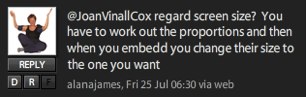
Alana’s advice allowed me to reduce the size of my Jing screen, but it only showed part of what I had captured. I wanted the whole image, but smaller. I have asked for help on Twitter several times previously and most often got a reply, so I consider it an important part of my PLE. It’s a place where I can ask and answer questions from peers.
So I’m playing, and thus learning how to use these tools, so when the weather is sunnier and/or I’m busier, I’ll be proficient and efficient in using them.
The YouTube video, The Pirate’s Dilemma, looks at the cultural problem of our creativity being largely bricolagic, (if that’s a word). We see other’s doing something and we imitate and/or adapt it. We follow trends, and we build on other’s ideas. But people need to make livings, and creators should get credit and rewards. Yet we humans like to play with ‘stuff’. Where does the label “piracy” stifle innovation, and where is it accurately describing a rip-off? This is the question that motivates people on both side of the Canadian C-61 debate, and the world-wide copyright and intellectual property debates.
via Chris Brogan
Where do you stand?
Tony Karrer, in his blog eLearning Technology, explores a question that is often raised about the quality of information added on social media web sites. After watching the Wikipedia “debate” and hearing groups of academics, mostly communications teachers, boast about forbidding its use, I have come to believe that they aren’t talking about quality but about authority.
It takes time and effort to learn about how the social media work and how they can add to the impact and efficiency of knowledge workers. But to simply partake in the chorus of rejection without seriously exploring the possibilities is, IMHO, irresponsible. In my own explorations of the web and how it can be used to help learning, I have noticed two academic reactions. One is the quality card being played, without examination or research, but with confidence. The other is a collection of the most amazing intellectual explorations of this new media environment. I cite the work of Professor Michael Wesch:
This brief video should be studied by all knowledge workers, especially academics who study and teach communication skills. This video, to my mind, displays the excellent intellectual quality of Wesch’s work.
Wesch is an academic, and his work on YouTube can be labelled as good quality because he’s an authenticated authority. The quality of his teaching can be seen in his studying the context of his students, (because it’s a different era from even 10 years ago):
One final citation of Wesch and an anecdote. I stumbled across an hour long video of Wesch presenting at the University of Manitoba. The video is worth several hours of study in what it reveals about teaching, the social media, and students’ learning. – http://umanitoba.ca/ist/production/streaming/podcast_wesch.html
After I watched this video, I went to Twitter (http://www.commoncraft.com/Twitter) and asked if anyone knew which kind of wiki he was using with his class, as I was intrigued by one aspect of it. The same day Michael Wesch himself answer my question. Now that’s good quality communicating! And there are others, academics and non-academics, who are providing work/information of excellent quality using the social media. They are sharing, but you have to find their work, and be capable of recognizing its quality for yourself.
The people who question the quality of work avalable on the social media are actually talking about whether the information is accurate and up-to-date. What they are revealing about themselves is that they are neither accurate nor up-to-date. What we should be teaching and practising in this new communications era is critical thinking, so we as idividuals can distinguish quality without being confused by authorities, who might not be presenting good quality information.

http://www.freefoto.com/preview/15-27-2?ffid=15-27-2
I see these as signs that people are becoming more conscious of web 2.0 possibilities. It may not have gone viral – yet – but it may be starting to. Work Literacy has been developing frustratingly slowly but maybe, just maybe, the tipping point is approaching.
In response to Michele Martin’s post, Developing Work Literacies: Who’s the Target Audience?
I keep thinking about how information spreads. I’ve watched it spread online and know where to watch to keep up. I found the phrase that was going round the web a few months ago interesting: “News finds me!” and it’s true that web-savvy people set up networks that push the info they’re interested in at them. But what about offline? How does information spread there?
I thought about this yesterday as I picked up some cookies in an upscale market. There was a cooking show on the screen you could watch while waiting in the cashier lineup. Free ideas for meals! I thought about how people get inspired to learn while I was in an Apple Store attending a free workshop. The session had too much information to learn effectively but you could see the possibilities of Keynote, especially if you were familiar with PowerPoint (I am) and if you’d already played with Keynote (I have).
(An aside: if anyone knows how to change the font of a theme for the whole show rather than one slide at a time, I’d appreciate the information. Same thing with setting transitions for the whole show rather than one at a time. Other than those, I love Keynote.)
I thought about how people pick up ideas to try out while listening to friends and my husband discuss cooking shows. Then I thought about the strategy of a used car saleman (I think they know audience behavior;->) I used to teach with. When our office layout was changed, he always ended up next to the coffee. He said that it was the communication hub. They don’t have department coffee spots any more where I used to work; they have a Tim Hortons and a Second Cup. Maybe a Starbucks too by now; I haven’t been on that campus for a couple of years. The principle continues; people now meet in the coffee line-ups and chat. And there are notices, ads, and even screens with slideshows repeating themselves positioned around the lineups.
Word-of-mouth is powerful and can be stimulated by well-placed, well-designed media. If flyers and ads on the benefits of web and computer applications were as omnipresent as cooking shows and essay mills, if people were alerted in line-ups to one simple, short series of actions that could make their work easier or more interesting, wouldn’t that speed up the adoption of Work Litracy behaviors? If the posters or shows were rotated a couple of times a week, so there was both novelty and repetition, …
If there can be coffee franchises, why not Work Literacy franchises? Or have I gone too far into fantasy land again?
In 2005 I taught an undergrad university course on computers and communications. I used JotSpot, then in beta, a wiki I had discovered through Stephen Downes‘s OLDaily newletters. JotSpot worked really well for the class and, as I got to use it for free, I wrote up a report on the experience, which is attached: Using JotSpot.
Frequent readers will know that I am a wiki enthusiast, favouring Wikispaces for its ease of use and cheap cost and PBWiki for its ease of use and visual attractiveness. However JotSpot was adopted by Google, and has now been released as GoogleSites, and I have to say it looks very good, at least in the videos
Google Sites, the grown-up JotSpot, looks very interesting and useful, plus it’s free! I’d love to hear what you think of it.

This makes total sense to me. Does it to you?
 Learning Living