Summer & Blogging Tools

It’s hot, hot, hot! And time to play.

BlogChoices.jpg

I suggest you read Seven Blogging Tools Reviewed  and then play with the one(s) that sound most promising. Play (practise) now so you can use them when school begins again in the fall.

Although I love Elgg, and think its Community Blogs are the best for teaching, you can set up group blogs on Blogger and add audio with AudioBlogger.

It’s easy, if you just read the instructions!

Have fun and learn!

Happy heatwave!

technorati tags:, ,

Blogged with Flock

Where We Are Now

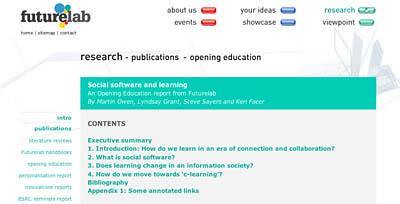
Social software and learning: An Opening Education report from Futurelab
By Martin Owen, Lyndsay Grant, Steve Sayers and Keri Facer

Futurelab – Research – Publications – Social software and learning
SS&Learning.jpg

For anyone who wants to understand the implications of what is happening on the Web now for education, this report is essential. It is clear, easy-to-read, long, and filled with information and ideas. I cannot recoomend it too highly as a foundational overview.

Here are some quotations from it, (collected by using WebSnippits, part of the Flock browser, which I am more and more impressed with.)

If learning to learn, if collaboration, and if the personalisation of educational experiences are at the core of current educational agendas, we need to find ways of enabling young people to come into contact with, collaborate with and learn from each other and other people. Social software is about bringing minds and ideas into contact with each other and is already, in the world outside schools, creating what was described by McLuhan as the global village.

Futurelab – Research – Publications – Social software and learning

New forms of collaboration tools are also emerging, based on collaborative document building rather than individualist blogs. We are also seeing a shift in the ‘modality’ of communication away from text alone: podcasting or audio publishing via the net is a growing movement and it will be relatively a short time before there is also good support for video publication on the net. Locative and geographically mediated activity is also a likely area for growth.

Futurelab – Research – Publications – Social software and learning

… there is a shift in the nature of knowledge and how knowledge is created and organised, and secondly there is a cultural shift growing from the use of information and communication technologies, the so-called cyberculture. These two strands mirror the twin concerns of those arguing for a shift in educational processes to align with the perceived demands of a knowledge economy: namely, the concern with developing young people able to act as innovators and creators of knowledge; and the concern with developing young people able to operate effectively within digital and information-rich environments.Identity, space, attention and creativity are all clearly central to the question of how we learn with digital technologies. These are not marginal questions to be relegated to the ‘out of school’ world, but are intimately bound up with the ways in which young people may be coming to expect to learn in a digitally rich environment.

Futurelab – Research – Publications – Social software and learning

Digital technology allows easy peer-to-peer exchange and amateur cultural production. Consumers can easily become producers. Mass market and user-generated cultural media is appropriated and critiqued, adapted and remixed allowing users and consumers to change the meanings intended by the original producer. This critical culture of consumption and remix blurs the line between consumption and production.

Futurelab – Research – Publications – Social software and learning

The researchers suggest that what these young people are doing is creating and projecting their emerging identities within a group of friends. Blogs, as with mobile phones and other technologies, facilitate a range of social and emotional work for young people (Ito and Okabe 2003, referenced in Carrington 2005).

Futurelab – Research – Publications – Social software and learning

schoolsshould not expect students to leave the 21st century in the cloakroom,for example, many schools do not allow e-mail, instant messaging,mobile phones or blogging. As a corollary there is an imperative toteach appropriate use and appropriate behaviour for ICT. This shouldinclude protection of students’ own identity.

Futurelab – Research – Publications – Social software and learning

There is a “substantially more subtle shift” pertaining to forms of reasoning. “Reasoning, classically, has been concerned primarily with deductive, abstract types of reasoning. But what I see happening to today’s kids as they work in this new digital medium has much more to do with bricolage than abstract logic. Bricolage, a concept originally studied by Levi Strauss many years ago, relates to the concrete. It has to do with the ability to find something – an object, tool, piece of code, document – and to use it in a new way and in a new context.”2

Futurelab – Research – Publications – Social software and learning

Contemporary creativity may no longer be focused towards creating original content, but is a practice of rip, mix and burn, where content is taken, appropriated, adapted, mixed, and distributed in a way in which consumption of media and information also becomes a productive act. Digital technology can, then, give young people the opportunity to take control of information and media to consume and produce cultures of importance and relevance to their own lives and identities. Social software adds to the ways one can be creative and it has changed and expanded the audience for personal and social creativity. [Emphasis added]

Futurelab – Research – Publications – Social software and learning

Students who pool their research (in a bookmark tool or in a wiki) can clearly help each other do better. Students who peer assess their work can clearly help each other. Students who can work in different media extend the range of their thinking. Students in contact with people outside the school can learn more. Students who have a sense that their work is for a wider audience may be better motivated.

Futurelab – Research – Publications – Social software and learning

4.7 Conclusion: e-Learning 2.0?Our discovery of new ways to transform our lives using digital technologies is not slowing down. In recent years we have witnessed the emergence of new tools and services. Some of these have been characterised as Web 2.0, some of them have been characterised as social software. The significant attributes that these new tools and services display are that they are about knowledge creation, knowledge management, knowledge sharing and knowledge dissemination. Keywords have been creation, collaboration and communication. These technologies are changing the way we are able to deal with knowledge. This raises two issues for those engaged in education. Firstly they supply the enterprise of learning with new tools and new and useful ways to go about learning. The second suggests that because of the changing nature of human knowledge management we need to change priorities in what we need to learn.The individual learner has many choices available for their personal learning. The list of social software activity is long and is growing. However, there is also a need for a response in formal education. These technologies do provide a mechanism for transformation in education that appropriates these technologies for educational advantage. This includes a change in our vision of e-learning to a more open approach to the acquisition, organisation, creation and assessment of knowledge: e-Learning 2.0.

Futurelab – Research – Publications – Social software and learning

All teachers at all levels should be reading this and responding to this paper, IMHO!

technorati tags:, , , ,

Blogged with Flock

MySpace + YouTube = The Global Village

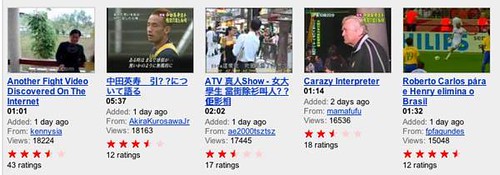
You can see the enormous changes in communication that have occured in the last few years by looking at MySpace and YouTube.

We live in a global village, as Marshall McLuhan predicted in the 1960s. My daughter, an active MySpace participant, told me several weeks ago about a group she’d discovered through MySpace called Gnarls Barkley. She talked with great energy and enthusiasm about noticing the spread of their music in Toronto, hearing it on the street, and finding people who already knew about it. This was not formal advertising, but the new “word-of-mouth” based on social networks such as MySpace.

GnarlsVid.jpg

When I heard that I could see the Gnarls Barkley video for their song “Crazy” on YouTube, I searched for it, and found it there. The lyrics are great, and the video is striking, both beautiful and interesting But that’s not what this post is about. What is amazing is that in a very few weeks, this music and video spread “virally”, as they say, through the social networking sites, MySpace and YouTube.

Most of the social netwarking I look at is in English, my language. But YouTube uses videos, a more univeral language of images. We may not uderstand what is on the audio (or what they were thinking, for that matter) but there can be no doubt that we are only part of the world.

YouTube.jpg

Look at the variety of languages that show up on YouTube. The Web shows us that we live in a global village, and the ease with which people can put content on the Web shows us how the enforced passivity of movies and television is being superceded by the activity of posting on the Web, whether it be homemade or professionally produced content.

To me, this worldwide activity is what is most amazing about the Web.

technorati tags:, , ,

Blogged with Flock

Elgg Described, with Examples

Supporting online communities with Elgg

by Josie Fraser, with help from Sasan Salari

Elgg is an open-source social software programme which is free for institutions to download and use. Elgg provides an excellent way to investigate e-portfolio provision or to support your college communities online. By laying out a number of scenarios, this article clearly highlights the benefits of Elgg, and demonstrates its …

This description of the various aspects of Elgg, followed by examples of how students and/or teachers can use them is inspiring, in the deep meaning of the word. You can breathe in ideas, circulate them through your experience, and imagine possibile uses. My own experience of using an Elgg Community blog for a class last term matches what the authors describe, and I have seen some new possibilites for my teaching in the fall.

Great article – very practical, with helpful images. I recommend it.

technorati tags:,

Blogged with Flock

Connectivism vs Constructivism – G. Siemens

A succinct and clear look at how we learn and learning theories. Siemens says:

Most learning needs today are becoming too complex to be addressed in “our heads”. We need to rely on a network of people (and increasingly, technology) to store, access, and retrieve knowledge and motivate its use. The network itself becomes the learning. This is critical today; the rapid development of knowledge means that we need to find new ways of learning and staying current. We cannot increase our capacity for learning ad infinitum. We must begin to conceive learning as socially networked and enhanced by technology (it’s a symbiosis of people and technology that forms our learning networks). We need to acknowledge our learning context not only as an enabler of learning, but as a participant of the learning itself.

We rely on Google, libraries, friends, social bookmarks/tags, etc. to serve as our personal learning network (we store the knowledge external to ourselves). When we need something, we go to our network (know-where is more important than know-how or know-what)…or we expand our network. In the end, the constant act of connecting in order to stay current is a much more reflective model of learning than constructivism.

Connectivism Blog

That matches my experience as a learner.

Also very interesting, the

matrix posted by Derek Wenmoth on online learning (including a continuum of learning theories)

Connectivism Blog

http://blog.core-ed.net/derek/archives/001082.html

A final note – I think using the Flock blogging tool is helpful, but it does alter my style.

technorati tags:, , ,

Blogged with Flock

Flock – One-Stop Web Browsing

I was checking what was happening on the SocialLearning.ca site and saw D’Arcy’s post –

Flock Beta 1 Available Now | SocialLearning.ca.

Finally, I thought, someone is pulling things together for the user – a Web 2.0 (social) browser that is a one-stop space.

So I decided to play with it.

I like it. A lot! In fact, I’m creating this blog using all the integrated bits, from putting my screenshot into Flickr and then into this blog post, all in one window. And the Favorites link to del.icio.us, so I can tag them for future reference. I haven’t used the aggregator because I’m happy with Bloglines, but I would recommend using the Flock newsfeeds to anyone who has been thinking about using an aggregator, but hasn’t set up their own Bloglines account yet. That way you would have everything you need, including a Search space, right in the same browser.For more detailed information, check out http://paulstamatiou.com/2006/06/15/the-definitive-flock-beta-1-review/

Using Flock gives me a simpler interaction and saves me time. So I’m really impressed, so impressed, in fact, that I’m making Flock my default browser.

Give it a try – see what you think.

Blogged with Flock

tags

Blogged with Flock

Social Software & Academic Commons

If you want to understand the “big picture” of the impact of social software on education, including the problems, I suggest you go to the Academic Commons and read Joseph Ugoretz”s Three Stars and a Chili Pepper
AcademicCommons

Ugoretz starts from this premise:
Social software includes many communication media, but the new tools which are the subject of this essay all fit three broad descriptions. These tools are interactive, with the content created and structured by a wide mass of contributors. These tools are also interconnected, with user-provided searchable links structuring and cross-referencing that content. And finally, these tools are bottom-up and communitarian, with the users of the tools providing and benefitting from associations, reputations, and authority within a many-to-many community. The various tools of social software are an increasing presence in the online world, as well as the offline lives of their users.

He uses anecdotes and clear explanations.

I recommend it.

tags

A New Resource for Learning

I’ve been playing on (with?) a new resource for learning and teaching called SocialLearning.ca
SocialLearning
You can learn a lot on this site. For direct learning, take a look at the Tutorials section – the link is on the far right on the navbar at the top.
Soclearn2
You can also learn by exploring a little using the (right)sidebar to click on tags or other links –
SocLearn3
And finally, you can learn by exploring the navbar at the top. For example, by clicking on “Software” you will find information on various software that SocialLearning.ca members recommend and/or describe.
If, as a teacher, you have trouble filling your time during the summer (;-> irony alert!) you could spend at least some of your “free” time exploring and learning from this site.

tags


Tagging – for Bookmarking Favorites

Tagging is an essential tool for anyone who wants to find interesting Websites again sometime in the future. In a previous post, I explained tagging, using extensive quotes from Ellyssa Kroski’s post, The Hive Mind: Folksonomies and User-Based Tagging at InfoTangle. It’s still an excellent starting point for understanding the significance of tagging. However, sometimes “quick and dirty” howto’s are all someone wants to know. With that in mind, here’s a link to –
TagTechSoup
Thirteen Tips for Effective Tagging, an excellent post on the “how’s” of tagging with del.icio.us. For example:

Below are some tips for choosing tags on del.icio.us from Web Consultant Alexandra Samuel.

1.
Be a lemming. Check how other people are tagging the kinds of sites you want to remember. Del.icio.us Linkbacks makes this very easy. Bear in mind that different people will bookmark the same site for different reasons: I might bookmark Terminus 1525 as a great example of a Drupal site, while you are saving it as a link to young Canadian artists.
2.
Follow the herd. When in doubt, pick the tag that seems to have the most links — this is the leading tag of the options you’re considering, so hopefully will emerge as the dominant focal point (so you don’t have to check “open-source,” “opensource,” and “open_source” to keep on top of the big world of open source).

I recommend the whole post, and suggest you bookmark it using del.icio.us ;->

tags