Academic Research is Changing!

Anyone who does academic research, or teaches others to do it, is facing a rapidly changing landscape.

From Educause,
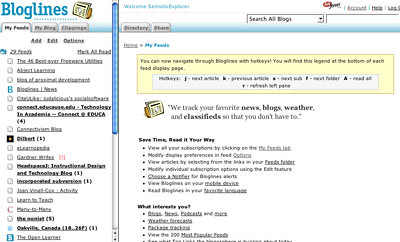
via a feed in my Bloglines Account –

“The European Commission is to build a European digital library able to display around six million books, photographs and films and available to all internet users by 2010.”

US Internet search giant Google started an international race to build an online library when it announced plans in December 2004 to digitise books and documents from a handful of big libraries.

Since then, US Internet and software giants Yahoo, Microsoft and Amazon have announced separate plans while France, upset that private companies took the lead, has pushed for the creation of a public digital library, AFP reports.

Add this to other evolutions – such as I have posted on previously – and you’ll see that academic research has changed more since the arrival of the web than in the previous few hundred years!

tags


Browser Decisions

While you’re deciding which homepage is the most useful or satisfying, you might want to think about what browers you use. Yes, I used the plural. I strongly recommend that, whatever your platform, you have at least two browsers on your computer. The three following are free, and good.

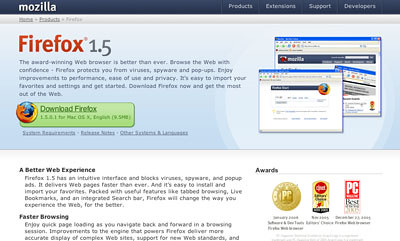
Some browsers are better than others at certain thing and on certain systems. While most people just go with Internet Explorer, in my roamings through posts of the ed-tech part of the blogosphere, one particular browser keeps coming up, and that is Firefox.
Firefox

I’m not technically-oriented, so I want extreme ease of use. Firefox gives me that. The technically skilled like it because they can fiddle with it, making interesting changes and setting it up just the way they want. I did look at the Preferences, but I only made a few simple changes. Firefox is the browser I use most of the time. In a future post, I will explain why I recommend at least two browsers, and how you might use them.

One is not enough. My Mac laptop came with Safari on it. (BTW, Firefox works on any platform, Mac, Windows or Linux.)
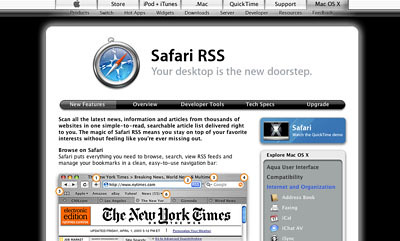
Safari
Safari is a Mac browser, so if you’re a Windows person, skip the rest of this post and just download Firefox.

I like Safari; it’s fast and easy. However, because it is a Mac product and therefore has only a small part of the web populace, it doesn’t always get good support from some of the products. I always use Firefox when I’m writing anything on my Elgg blog because I have had Safari swallow posts or comments instead of posting them. Too much frustration. And Safari does warn me it’s unsupported when I forget and do Elgg work on it. So Safari is good for Mac users, but not fully complete because not all applications work well on it.

I have recently downloaded Camino
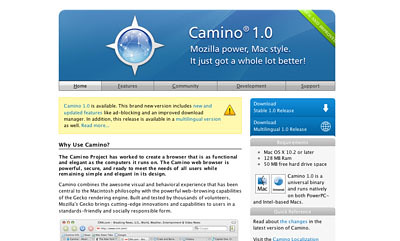
Camino
I haven’t played much with it but it is part of the Mozilla family, just like Firefox, but aimed at Mac users. It looks interesting, but I will have to play with it more.

So my main message is – have at least two browsers.

tags


Home Page Decisions

The web is huge and growing exponentially. That’s enough to turn off lots of people, or intimidate them. But there are some ways to manage your web experience, starting with what you use as your homepage.

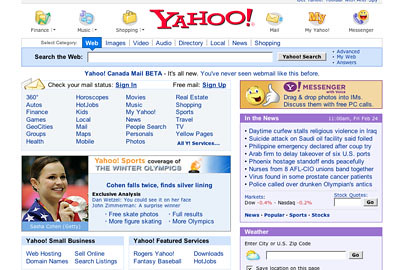
Many people use a comercially created portal, such as Yahoo’s:
Yahoo

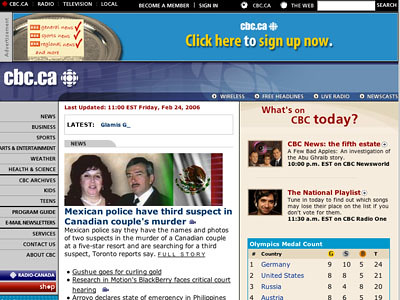
Some may set their homepage to a newspaper or some other news source, such as the CBC:
CBC

Many people set theirs to the institution or campany they work for –
UTM

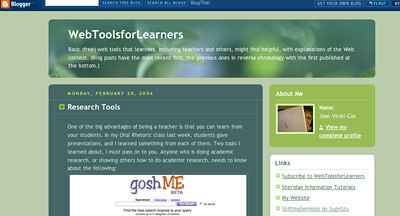
While still others choose to use their own website or blog:
WebTools

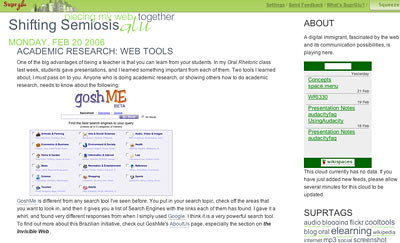
Here are two more suggestions. If you have more that one blog or site, you might want to compile them using SuprGlu, as I have described here.
SuprGlu

Or you might want to aggregate all the important (to you) web pages and/or blogs and/or news sources using an aggregator like Bloglines, as I have described here.
Bloglines

All of these are choices for homepages to start you off when you join the web.

A brief note: Although Blogger can add photos, they don’t transfer to SuprGlu, so I use Flickr to put them in my Blogger blog, and then they transfer smoothly to other web pages.

tags


Research Tools

One of the big advantages of being a teacher is that you can learn from your students. In my Oral Rhetoric class last week, students gave presentations, and I learned something from each of them. Two tools I learned about, I must pass on to you. Anyone who is doing academic research, or showing others how to do academic research, needs to know about the following;
GoshMe
GoshMe is different from any search tool I’ve seen before. You put in your search topic, check off the areas that you want to look in, and then it gives you a list of Search Engines with the links each of them has found. I gave it a whirl, and found very different responses from when I simply used Google. I think it is a very powerful search tool. To find out more about this Brazilian initiative, check out GoshMe’s AboutUs page, especially the section on the Invisible Web.

The other tool Rizwan Choudary, Vibhuti Gupta, and Mehreen Hasan alerted me to in their presentation on research using the web was an aspect of Google Scholar I wasn’t aware of.
GoogleScholar
Not only can you use Google Scholar to search for academic papers and other research material, you can use it to search the databases of institutions you are associated with IF said institutions have made that arrangement with Google Scholar – see Support for Libraries. In Google Scholar Preferences, you can search for your institution, and, if it has agreed, you can set it as part of your preferences. A proviso and a positive:
1. You have to be able to access these databases already using your I.D.
2. It’s actually an easier and one-stop interface.
So, thanks to Rizwan, Vibhuti, and Mehreen, I can pass this information on to you.

tags


Nurturing the [Blogging] Network

Clarence Fisher, a teacher for over 10 years, has an interesting blog called Remote Access.
RemoteAccess
As a teachers with students on a community blog, I found his post both insightful and helpful. Part of what he said was –

As teachers we need to be the leaders, and the “tenders” of our classroom networks, but just as importantly, we need to teach our kids how to do this. We need to teach them how to support each other in their growth and their understanding of the possibilities opened up by blogging. New forms of writing, new forms of connection, new opportunities for knowledge growth are all possible,

You might want to add his blog to your Bloglines (or other news aggregator) account.

tags

Blogging: Part of our Shifting Semiosis

Often I harvest quotes from other people’s blog in order to encourage readers to check out the ideas there. Christian Long, in his think:lab blog, has a post called
thinklabhead
Blogging and the Changing Environment of Education and Collaboration is a long but well-written post and hits some of the central points about what is happening with the web, communications-in-general, and communications-in-education in particular.
In this excerpt, he sets the context:

We live in a remarkable world where the Internet has moved from a research experiment to a social curiosity to a dot.com frenzy to a normal part of each of our day-to-day existence. In many ways, schools and classrooms are at the center of it all. Computers are tools and in many ways similar to pens and radios and a screwdriver in the fact that they exist simply to help us do things. On the other hand, the raw existence of the Internet is something far more powerful. And what’s just beginning to unfold in blogging, podcasting, and other Web2.0 ways is even more impressive and curious.

In this excerpt he introduces readers to the power of the “read/write” web, often called Web2.0:

Blogging, on the other hand, explodes at the same moment that typical research begins to end…and this is the beginning of what is known as the Web2.0 world, or the second iteration or generation of the Internet. It is also known as the “read/write” web because by its very definition it only exists when the owner of a website and the audience interact, read and write together, share ideas, and collaborate. While the owner of the blog technically ‘owns’ the site, the information is truly open-source. Anyone that can find the website can write back, add information, and take the conversation in a new direction. And instead of a being merely a new ‘tool’, the power of the Web2.0 world and experiences like blogging is based upon the realization that information is no longer static and ‘owned’ by one individual or group. Information is collaborative and forever being added to or challenged or evolved.

In this final excerpt, Long shows his readers why this change has created a revolution in the way we humans communicate:

You see, blogging is merely a simple software tool. On the surface it’s merely a website with content and images. And if you stop by and look at one a time or two nothing really happens. You’ve seen a million sites like this. Check in, check out. But if you stick around for a bit, if you follow a link, if you add a comment or two, if you come back a few days later or weekly or even more often and see what’s been added, if you create a blog of your own, if you add the link to a friend’s blog or a classmate’s blog or a blog of someone from the other side of the world, and if you wake up one day and you receive an email from someone you’ve never met who wanted to tell you how much they appreciated your ideas on something you cared deeply about, then you begin to realize that something really powerful is happening in this Web2.0 world.

Those of us in the education field would do well to take advantage of the possibilites provided by the “read/write” web so our students can garner the learning provided by this communication tool.

tags


Tagging – a Research Tool

Even the most web-phobic sorts have to acknowledge that the internet is a profoundly powerful research tool. (Yes, there can be serious problems; I’ll post about authority another time.) However the advent of tagging has made researching and knowledge management much easier and more social.

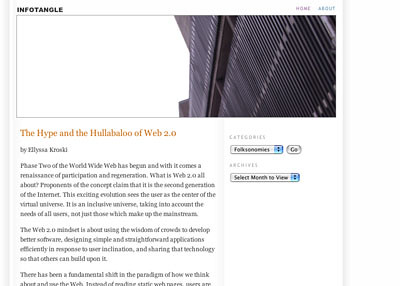
To get a fuller understanding, if the concept of tagging is new to you, I recommend Ellyssa Kroski’s post, The Hive Mind: Folksonomies and User-Based Tagging at InfoTangle.

InfoTangle

To give you the gist, here are some excerpts:

Today, users are adding metadata and using tags to organize their own digital collections, categorize the content of others and build bottom-up classification systems. The wisdom of crowds, the hive mind, and the collective intelligence are doing what heretofore only expert catalogers, information architects and website authors have done. They are categorizing and organizing the Internet and determining the user experience, and it’s working. No longer do the experts have the monopoly on this domain; in this new age users have been empowered to determine their own cataloging needs.

Web 2.0 is about sharing and connectivity and participation. It is a user-centered era of the Web. We are moving away from expert-dictated, exclusionary models of information organization and toward inclusive, participatory ones.

As users continue to add tags, a grassroots organizational scheme begins to emerge which has been dubbed by information architect Thomas Vander Wal, to be a folksonomy. A combination of “folks” and “taxonomy”, the term has come to mean a non-hierarchical ontology that is created as a natural result of user-added metadata or tagging.

The Wisdom of Crowds
There has been much discussion in the information world about the concept of folksonomy as opposed to the traditional taxonomy with its controlled vocabularies and hierarchical nature. Likewise, there have been many advantages identified with respect to folksonomies and organizing web content.

Finally, she says –

Summary
The advantages to top-down hierarchical taxonomies for library collections are without question. For cataloging the Web, however, they just aren’t feasible. The new, “voice of the people” approach of folksonomies emerges at a time when attitudes about information organization and retrieval are shifting and the technology is developing to support them. The opportunities for learning about user behavior as well as the implications for improving and/or complementing existing taxonomies that these systems can provide are of no small import. We are on the cusp of an exciting new stage of Web growth in which the users provide both meaning and a means of finding through tagging.

Kroski’s post is elegantly clear and informative, with academic referencing. To gain a clear understanding of the essentials of tagging, read the whole post!

tags


The Web, a Blog, and Communication

In my previous post, I talked about my Suprglu account and made reference to the fact that I hadn’t linked my Furl Archive – didn’t know how to;->

Lo and behold, I got a comment from Michael (of Furl) telling me how to add my Furl RSS. Thanks Michael! I took a longer look at Furl and found this – http://www.furl.net/faq.jsp#howShare

Now my Suprglu has a connection to my Furl Archive too!
suprgluSources

And I’m using Flickr to upload the screenshot, above, rather than the Blogger image icon, in the hopes that the Flickr image will show up in my Suprglu account – my Bogger uploaded image didn’t.

tags


My Suprglu

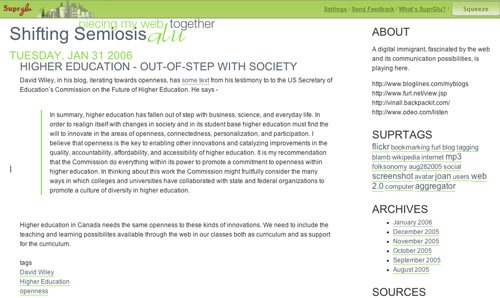
Suprglu http://www.suprglu.com/ is an interesting new web application that I have started using to have a home base for my various web adventures. Suprglu allows me to aggregate my web accounts into one place – my Suprglu account

I have included both my blogs, my more acedemic blog on Elgg and my Blogger blog, WebToolsForLearners, my Flickr account, my del.icio.us bookmarks, and my H2O Playlist on Poetry Basics. I haven’t figured out if I can (ans/or how to)add my Furl account, but most of my other separate individual web spaces are now “glued” together.

And that handy;->

tags

Higher Education – Out-of-Step with Society

David Wiley, in his blog, iterating towards openness, has some text from his testimony to to the US Secretary of Education’s Commission on the Future of Higher Education. He says –

In summary, higher education has fallen out of step with business, science, and everyday life. In order to realign itself with changes in society and in its student base higher education must find the will to innovate in the areas of openness, connectedness, personalization, and participation. I believe that openness is the key to enabling other innovations and catalyzing improvements in the quality, accountability, affordability, and accessibility of higher education. It is my recommendation that the Commission do everything within its power to promote a commitment to openness within higher education. In thinking about this work the Commission might fruitfully consider the many ways in which colleges and universities have collaborated with state and federal organizations to promote a culture of diversity in higher education.

Higher education in Canada needs the same openness to these kinds of innovations. We need to include the teaching and learning possibilites available through the web in our classes both as curriculum and as support for the curriculum.

tags